Verdict: Choose by working style, not a single winner
There is no universal “best” productivity suite for a UK small business. The sensible starting point is the option that fits how people already work, what the business can realistically administer, and how much change the team can absorb.
Choose Microsoft 365 for closer assessment when staff depend on desktop Office apps, Outlook or Teams-centred routines. Put Google Workspace on the shortlist when the team is comfortable working primarily in a browser and collaborating on shared files in real time. Consider Zoho Workplace when an integrated mail-and-workplace offering with clearly documented plan differences is attractive. Consider self-hosted or open-source tools only when greater control or a different cost model outweighs the extra technical responsibility.
The final choice should follow a short pilot, not a feature-list contest. Current provider documentation matters because storage, support, migration and mail features can vary by plan. Zoho Workplace plan comparison
What a business productivity suite should solve
For a small business, a productivity suite should make everyday work easier to run: business email, calendars, documents, file storage, meetings, chat, user administration and basic security controls. The aim is not to buy every available feature; it is to give staff a dependable place to communicate, create, share and find work.
Assess the operating fit as well as the subscription. Who will add and remove users? Where are the existing mailboxes and files? Which devices need access? How will external clients or contractors collaborate? A low headline price can become a poor outcome if migration, permissions, training and support are left unresolved.
Use plan documentation to compare like with like. For example, Zoho’s published comparison distinguishes mail storage, WorkDrive team storage, retention storage, support, migration tools and attachment limits across plans. Zoho Workplace plan comparison
Strengths that matter in everyday operations
An established cloud suite can reduce the number of separate tools a small team has to manage. Central administration can make it easier to provision accounts, set sharing expectations and keep email, files and collaboration in a connected workflow.
The practical value is usually mundane but important: a new starter receives a business mailbox and access to the right files; a team can co-edit a proposal without emailing versions around; and an owner can see who should retain access when a role changes. These gains depend on sensible configuration and agreed ways of working, not simply on buying a licence.
Avoid treating a suite name as proof that every capability is included. Plan-level details can differ materially. Zoho, for example, lists different allowances for mail storage and WorkDrive storage, as well as plan-specific mail attachment limits, while also documenting support and migration-tool availability. Verify the current UK plan before relying on a particular feature. Zoho Workplace plan comparison
Limitations and hidden implementation costs
Subscription cost is only one part of the decision. Recurring per-user charges, migration work, staff training, internet reliance, data-governance choices and the effort of leaving a supplier later can all affect the true cost of ownership.
Migration is especially easy to underestimate. Email folders, shared addresses, file permissions, old links, mobile devices and third-party logins may all need attention. A business also needs a named owner for decisions about identity, access, retention and support escalation.
Do not assume that a feature shown in a broad product description applies to every tier. Compare the current UK documentation for storage, support, migration, mail and collaboration limits, then test the workflows that matter to your team. Published plan comparisons can change, so treat them as a decision input to recheck immediately before purchase. Zoho Workplace plan comparison
Alternatives by collaboration model and IT capacity
Microsoft 365 is a route to examine for teams already organised around Microsoft desktop apps, Outlook or Teams. Its main validation question is whether the chosen plan supports the existing working practices without creating unexpected licensing or administration complexity. Check current business plans directly before budgeting. Microsoft 365 business plans
Google Workspace deserves assessment for browser-first teams that value shared, live collaboration as their default. Test how staff handle documents, offline work, email habits and external sharing before deciding that a browser-led approach will improve adoption.
Zoho Workplace is worth considering where an integrated workplace offering and visible plan distinctions are useful. Its official comparison documents mail storage, WorkDrive storage, migration tooling and support across its listed plans, making it a practical candidate for a structured plan-by-plan review. Zoho Workplace plan comparison
Open-source or self-hosted office tools can be appropriate when control, deployment choice or a different cost structure matters most. The trade-off is that the business assumes more responsibility for hosting, maintenance, backups, security and support. Independent round-ups can help identify alternatives, but they are a starting point rather than a substitute for a technical fit assessment. TechRadar’s office-alternative guide
Shortlist: Match the suite to your team profile
Use four routes to narrow the market before requesting quotes or beginning a migration.
Microsoft-centric team: Best fit for a business already reliant on familiar Microsoft desktop, Outlook or Teams workflows. Validate which business plan covers the required users and services. The trade-off is that a familiar environment can still be costly or complex if licensing is not mapped carefully. Microsoft 365 business plans
Browser-first collaboration team: Best fit for people who naturally create, comment and share in the browser. Validate real-time editing, external sharing and device experience with representative users. The trade-off is change management for staff with established desktop-app habits.
Integrated value-focused workplace: Best fit for a team seeking business mail, storage and workplace tools with plan details that can be compared consistently. Validate storage, migration, support and mail limits for the selected tier. The trade-off is that plan labels alone do not guarantee an exact workflow fit. Zoho Workplace plan comparison
Control-focused stack: Best fit for an organisation with capable technical ownership and a strong reason to manage more of its own environment. Validate backup, patching, support and continuity arrangements. The trade-off is operational responsibility. TechRadar’s office-alternative guide
How to select and pilot a productivity suite
AI-generated generic editorial illustration — not a retailer product photo and does not depict the reviewed product or service. Make the selection-and-pilot process scannable and actionable for operations teams.
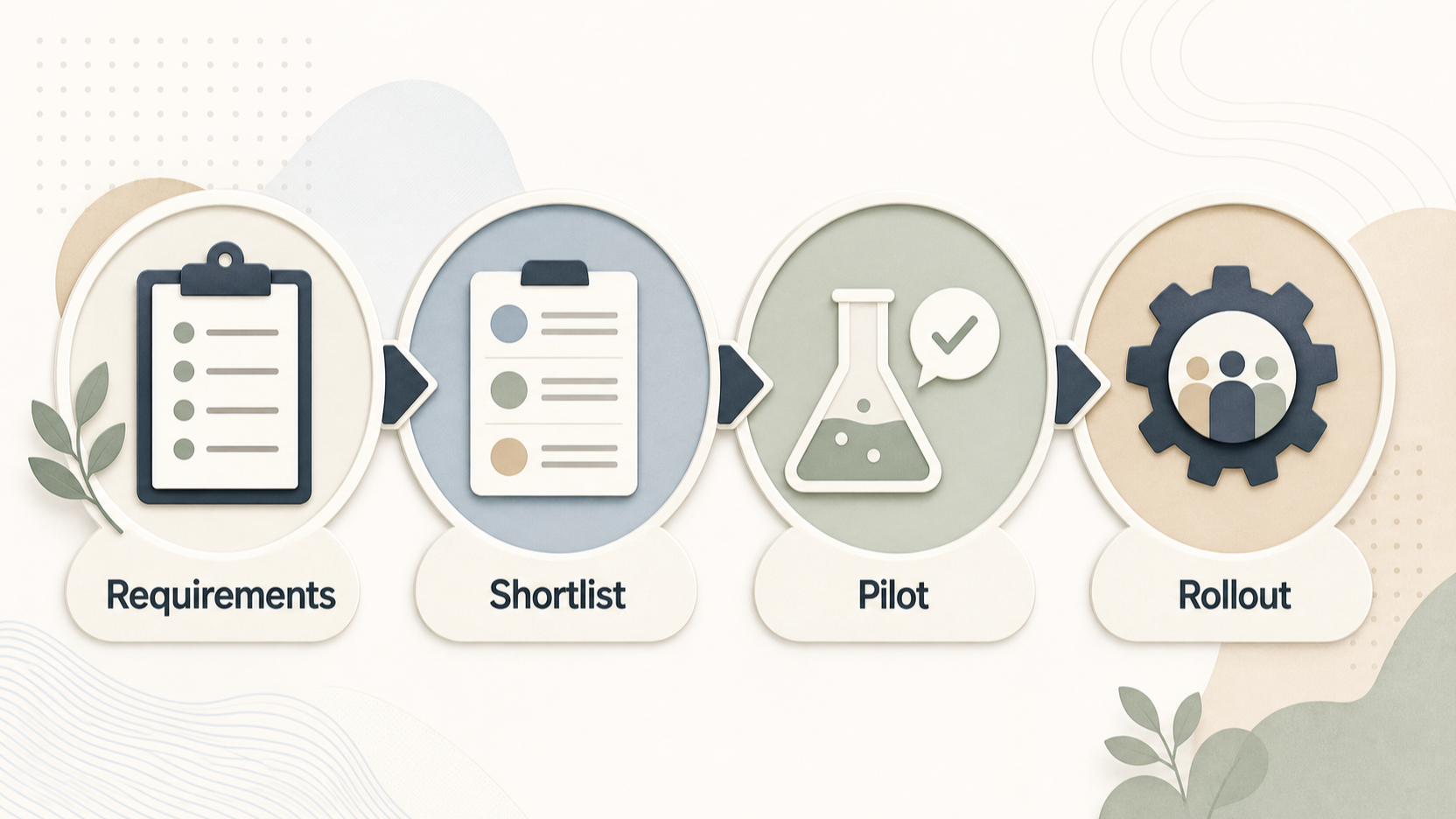 Start with an inventory: existing mailboxes and shared addresses, file locations, identity and access requirements, device mix, external collaboration, retention expectations, migration owner and support route. Record the few workflows that would cause real disruption if they failed—for example, sending from a shared mailbox, sharing a client folder or recovering a departed employee’s work.
Then run a limited pilot with representative users from operations, sales and any team with unusual document or mail needs. Give them realistic work, not a generic demo: co-author a document, share a folder externally, use mobile access, search for an old message and test an approval or handover. Collect issues before the whole business is committed.
Compare provider documents consistently. Check mail and file storage, retention where relevant, attachment limits, migration support, support channels and administrative controls on the exact plan under consideration. Zoho’s comparison is a useful example of the level of detail to capture in a selection sheet. Zoho Workplace plan comparison
[Primary CTA: Start your productivity-suite pilot checklist]
Frequently Asked Questions
Is Microsoft 365 or Google Workspace better for a UK small business?
Neither is automatically better. Microsoft 365 is a sensible route to assess when existing Microsoft desktop, Outlook or Teams habits dominate; Google Workspace is a sensible route to assess for browser-first collaboration. Pilot the workflows your staff actually use, then compare the current plan terms before committing. Microsoft 365 business plans
Include people who work mainly from shared locations as well as colleagues who travel, work from home or rely on mobile devices. Ask each group to complete a small set of ordinary tasks, such as sharing a document, arranging a meeting, finding a previous email and handing a file to another person. This makes the choice about workable routines rather than brand familiarity alone.
Is Zoho Workplace a realistic option for a small business?
Yes, it is a credible route to evaluate when an integrated mail and workplace offering fits the team. Its official comparison provides a concrete basis for checking plan differences in mail storage, WorkDrive storage, migration tooling, support and mail features. Whether it is right for your business still depends on the pilot. Zoho Workplace plan comparison
How should a small business assess productivity-suite security?
Assess both supplier capabilities and your own operating practice. Define who administers accounts, how access is removed, how shared files are governed, which devices are allowed and how support requests are verified. Security improves when these controls are configured and followed, rather than assumed from a product name.
Write these decisions down in a short operating checklist and test them during the pilot. For example, have an administrator add a user, grant limited access to a shared folder, remove that access and confirm that the result is understood by the relevant manager. The purpose is not to create unnecessary process; it is to establish who owns routine decisions when staff, devices or suppliers change.
Should we migrate email and files at the same time?
Not necessarily. Plan and test both, but sequence the work around business risk and internal capacity. A pilot should reveal dependencies in mail, shared folders, permissions and devices before a full rollout. Provider migration tooling can help, but it does not replace ownership, testing and staff communication. Zoho Workplace plan comparison
Keep a simple migration record that names the owner for each workload, the representative users involved, the test date and any issue that needs a decision. A small staged move can give the team time to check that important folders, permissions and everyday devices behave as expected. Use the results to refine the rollout sequence and staff guidance before extending the change across the business.
Related reading
- Microsoft 365 vs Zoho Workplace for UK small businesses: which operating model fits better?
- Microsoft 365 review for UK small businesses: strengths, limits, costs, and alternatives
- How to choose a business productivity suite for a UK small business
- Business productivity suite checklist: collaboration, administration, security, and support
Editorial information: About our editorial team · Read our editorial policy · Read our affiliate disclosure.